> ## Documentation Index
> Fetch the complete documentation index at: https://docs.stackone.com/llms.txt
> Use this file to discover all available pages before exploring further.
# External Content Providers
> Automate intelligent learning content sync and real-time completion tracking to enhance your SaaS with automatic learning updates
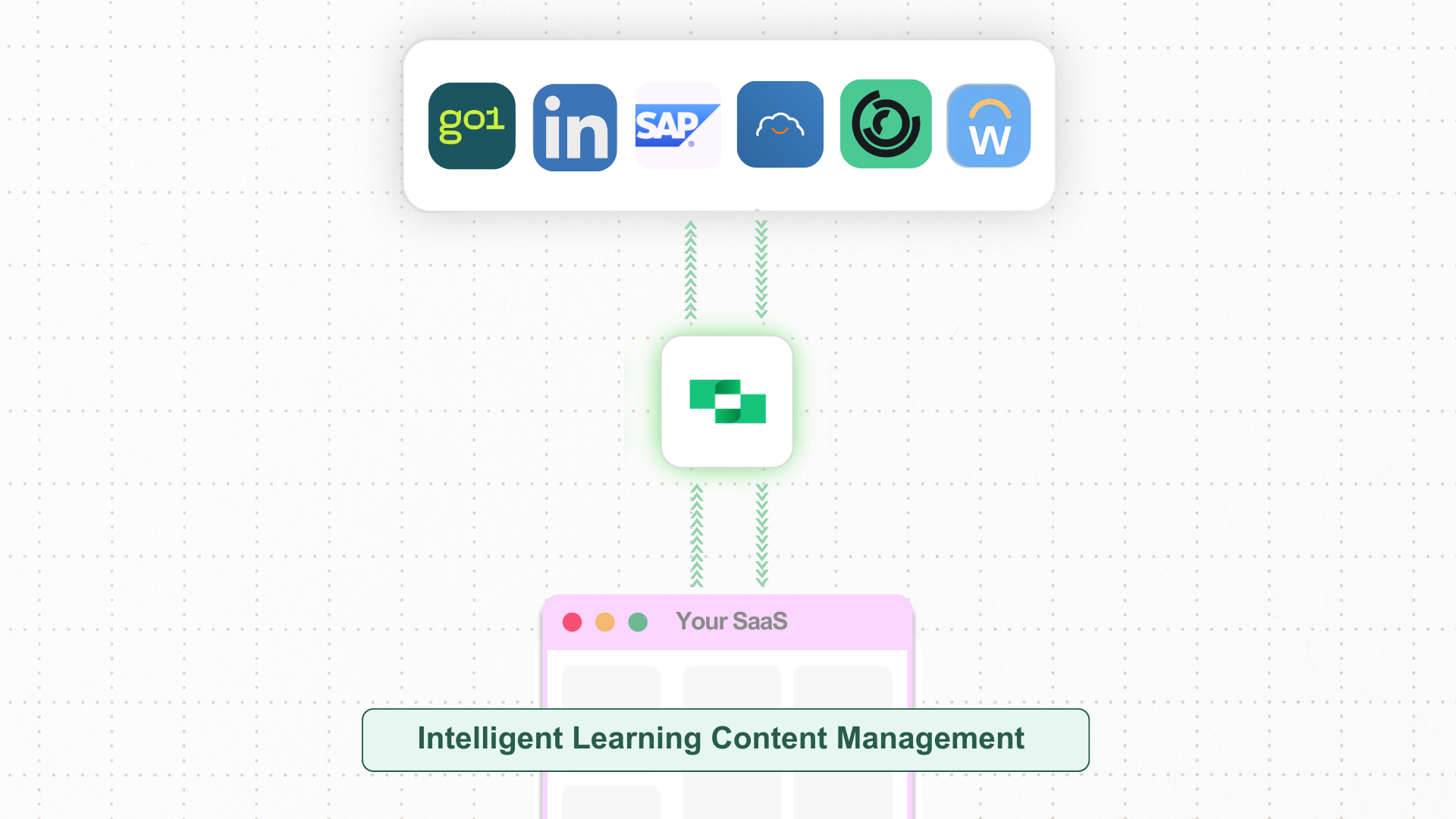 Imagine you’re enhancing your SaaS platform to simplify learning content management and track user course completions in real-time. At first, it might seem straightforward, but keeping content updated and syncing user progress accurately in multiple LMS providers can quickly become complex.
Ensuring real-time updates for both learning content and completion data requires efficient automation and syncing, giving users a smooth experience while reducing manual tasks for your team.
* **Unified API** connecting multiple LMS to manage and sync learning content, avoiding manual integrations.
* **Scalability** that lets you easily add new LMS providers as your needs grow.
* **Standardized data formats** across LMS providers for consistent and simplified data management.
## Intelligent Learning Content Management for Your Platform: Key Steps and System Interactions
Integrating learning content management into your SaaS platform allows you to automate course updates, track user progress in real-time, and maintain consistent learning experiences for your users.
### Steps for Enabling Intelligent Learning Content Sync and Completion Tracking
Below are the steps to set up intelligent learning content management and completion tracking, helping you efficiently manage course content, sync completion data, and enhance user engagement on your platform.
After setting up the account, you can make the same unified requests to all LMS providers, using the `x-account-id` to differentiate between them.
You can use the batch endpoint to push the entire catalogue leaving StackOne to handle rate-limits, batch size and underlying LMS behaviour.
In addition, you can use the `external_reference`, an identifier determined by you, to identify the content in the LMS removing the need to store and maintain ids.
* **API Endpoint**: [POST lms/content/batch](https://docs.stackone.com/reference/lms_batch_upsert_content)
You can use the same endpoint to sync and manage content updates, and you can use the `external_reference` to identify the content in the LMS.
* **API Endpoint**: [POST lms/content/batch](https://docs.stackone.com/reference/lms_batch_upsert_content)
**Either**
Allow admins to retrieve a list of all users from the LMS provider, including details like `id`, `name`, `email_address`, `external_reference`, etc.
We provide as many identifier fields as possible to ensure you are able to match users across platforms.
* **API Endpoint:** [GET /lms/users](https://docs.stackone.com/reference/lms_list_users)
**Or**
Use the list users filter to fetch a user by external reference. This is the most likely identifier which is provided by the LMS platform in the SSO handshake.
* **API Endpoint:** [GET /lms/users?filter\[external\_reference\]=\{\{external\_reference}}](https://docs.stackone.com/reference/lms_list_users)
Sometimes, admins may need to update content to selected LMS providers from the dashboard. Enable a manual re-sync button in the admin interface so they can refresh and update the content whenever needed.
You can track user progress through content and fire a completion event once the user has consumed the content, using the end user’s `id` and `learning_object_external_reference`, along with details like `result` and `completed_at`.
This allows you to manage the completions without storing content data in a set and foget fashion.
* **API Endpoint:** [POST /lms/users/\{id}/completions](https://docs.stackone.com/reference/lms_create_user_completion)
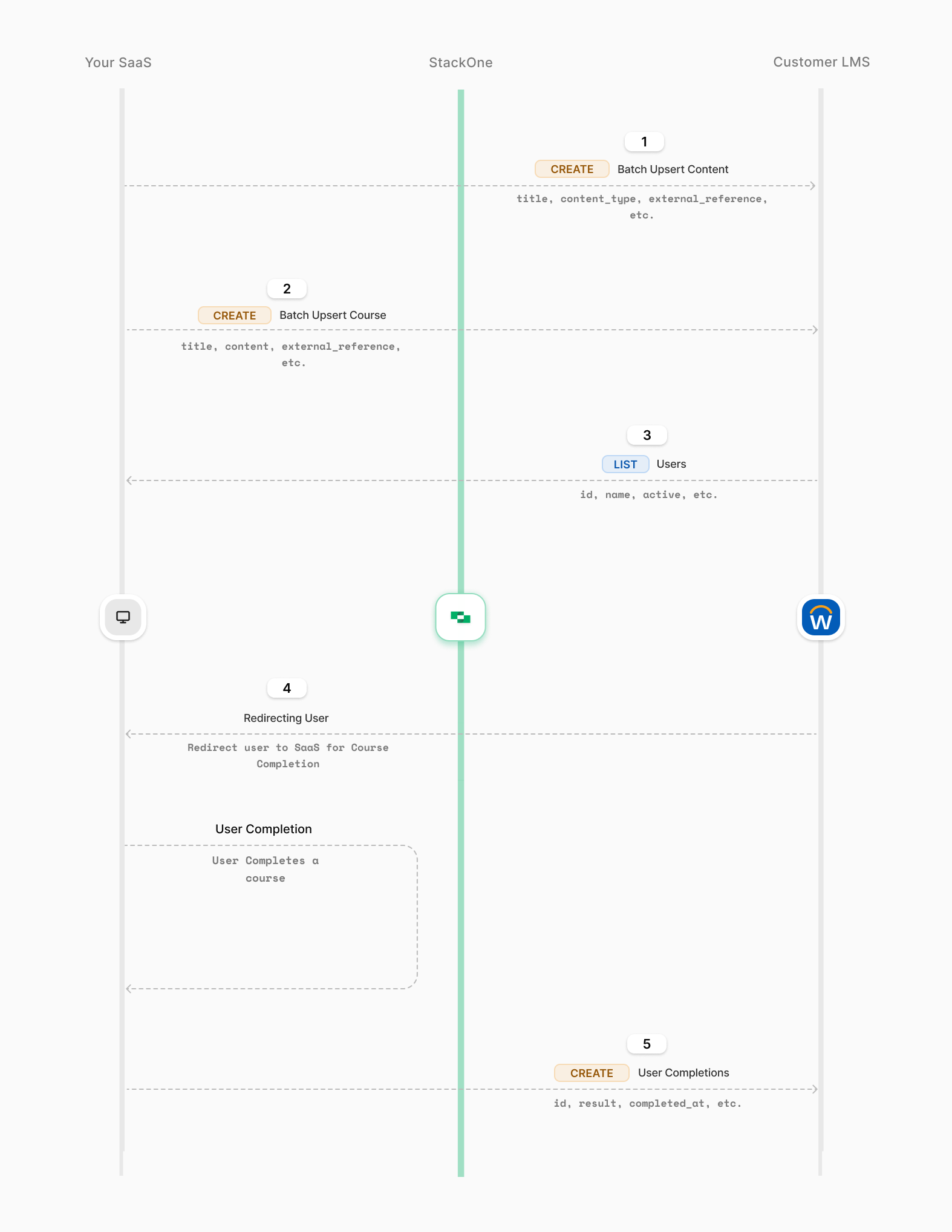
The diagram outlines the key steps: uploading content, choosing specific courses, and tracking user progress. Each step helps admins keep content organized and monitor user engagement effectively.
Imagine you’re enhancing your SaaS platform to simplify learning content management and track user course completions in real-time. At first, it might seem straightforward, but keeping content updated and syncing user progress accurately in multiple LMS providers can quickly become complex.
Ensuring real-time updates for both learning content and completion data requires efficient automation and syncing, giving users a smooth experience while reducing manual tasks for your team.
* **Unified API** connecting multiple LMS to manage and sync learning content, avoiding manual integrations.
* **Scalability** that lets you easily add new LMS providers as your needs grow.
* **Standardized data formats** across LMS providers for consistent and simplified data management.
## Intelligent Learning Content Management for Your Platform: Key Steps and System Interactions
Integrating learning content management into your SaaS platform allows you to automate course updates, track user progress in real-time, and maintain consistent learning experiences for your users.
### Steps for Enabling Intelligent Learning Content Sync and Completion Tracking
Below are the steps to set up intelligent learning content management and completion tracking, helping you efficiently manage course content, sync completion data, and enhance user engagement on your platform.
After setting up the account, you can make the same unified requests to all LMS providers, using the `x-account-id` to differentiate between them.
You can use the batch endpoint to push the entire catalogue leaving StackOne to handle rate-limits, batch size and underlying LMS behaviour.
In addition, you can use the `external_reference`, an identifier determined by you, to identify the content in the LMS removing the need to store and maintain ids.
* **API Endpoint**: [POST lms/content/batch](https://docs.stackone.com/reference/lms_batch_upsert_content)
You can use the same endpoint to sync and manage content updates, and you can use the `external_reference` to identify the content in the LMS.
* **API Endpoint**: [POST lms/content/batch](https://docs.stackone.com/reference/lms_batch_upsert_content)
**Either**
Allow admins to retrieve a list of all users from the LMS provider, including details like `id`, `name`, `email_address`, `external_reference`, etc.
We provide as many identifier fields as possible to ensure you are able to match users across platforms.
* **API Endpoint:** [GET /lms/users](https://docs.stackone.com/reference/lms_list_users)
**Or**
Use the list users filter to fetch a user by external reference. This is the most likely identifier which is provided by the LMS platform in the SSO handshake.
* **API Endpoint:** [GET /lms/users?filter\[external\_reference\]=\{\{external\_reference}}](https://docs.stackone.com/reference/lms_list_users)
Sometimes, admins may need to update content to selected LMS providers from the dashboard. Enable a manual re-sync button in the admin interface so they can refresh and update the content whenever needed.
You can track user progress through content and fire a completion event once the user has consumed the content, using the end user’s `id` and `learning_object_external_reference`, along with details like `result` and `completed_at`.
This allows you to manage the completions without storing content data in a set and foget fashion.
* **API Endpoint:** [POST /lms/users/\{id}/completions](https://docs.stackone.com/reference/lms_create_user_completion)
The diagram outlines the key steps: uploading content, choosing specific courses, and tracking user progress. Each step helps admins keep content organized and monitor user engagement effectively.
 ## Conclusion
This guide showed how to set up smart content management and track content completions in your SaaS platform. By using the given API endpoints, admins can upload content in bulk, enable manual re-syncs, and track users’ progress in real-time. This setup helps keep easily manage content in your customer LMS, and ensures users have a smooth and engaging learning experience.
## Conclusion
This guide showed how to set up smart content management and track content completions in your SaaS platform. By using the given API endpoints, admins can upload content in bulk, enable manual re-syncs, and track users’ progress in real-time. This setup helps keep easily manage content in your customer LMS, and ensures users have a smooth and engaging learning experience.