> ## Documentation Index
> Fetch the complete documentation index at: https://docs.stackone.com/llms.txt
> Use this file to discover all available pages before exploring further.

# Connect Fivetran with API Key – StackOne Hub

> Link a Fivetran account in the StackOne Hub using API Key. End-user guide to authorize the integration and start using Fivetran actions.

<Warning>Ensure you have Admin privileges within your Fivetran account.</Warning>

<section data-guide-section data-guide-scopes="">
  <h2>Get Your Fivetran API Credentials</h2>

  <p>To connect Fivetran with StackOne, you'll need to generate an API key and secret from the Fivetran dashboard. This assumes you are an Account Administrator in Fivetran.</p>

  <Steps>
    <Step title="Log in to Fivetran">
      <div data-guide-step data-guide-scopes="" data-guide-display-scopes-list="">
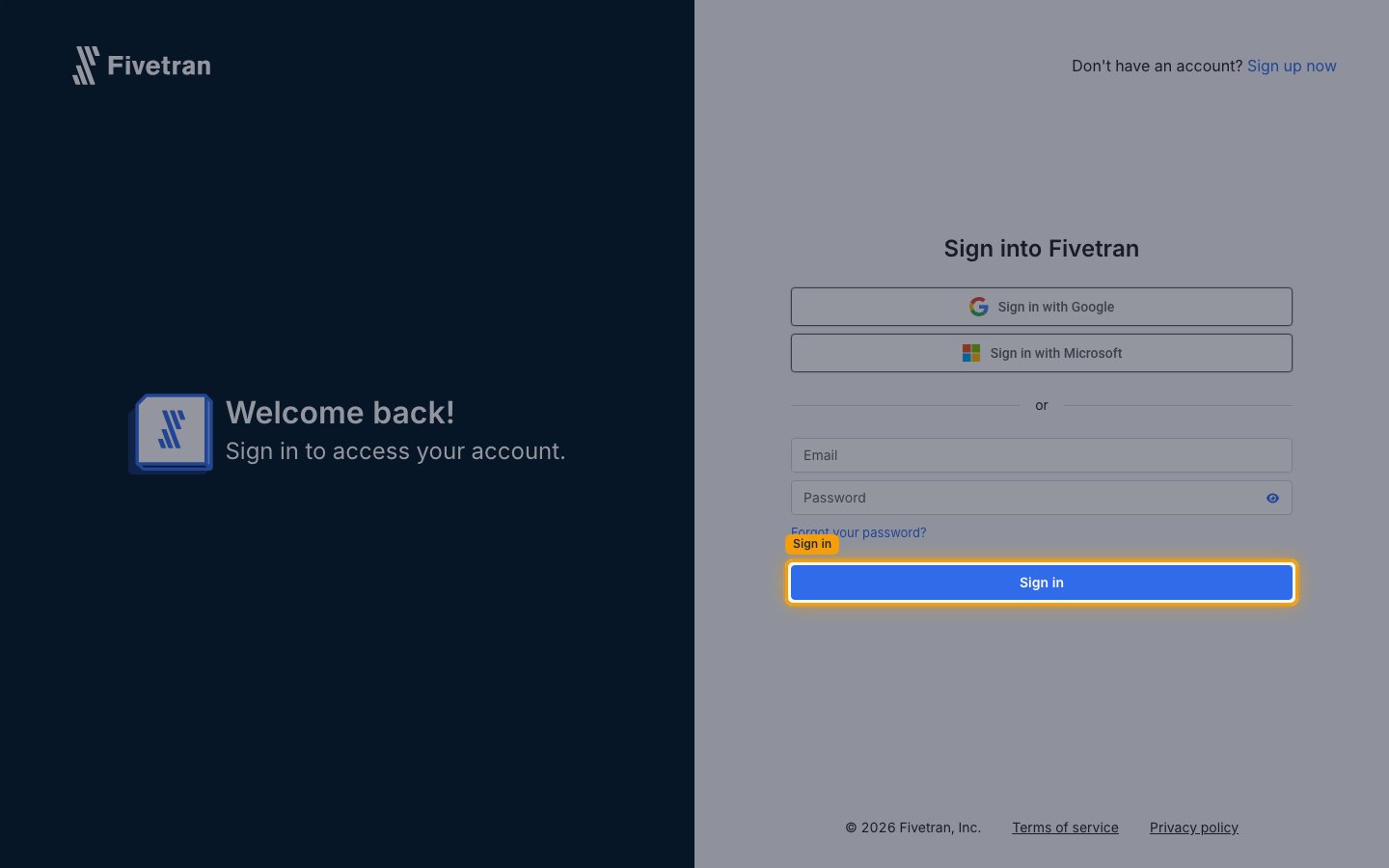
        <p>Log in to your <a href="https://fivetran.com/login" target="_blank" rel="noopener noreferrer">Fivetran account</a>.</p>

        <img src="https://mintcdn.com/stackone-60/WlFiz93cLsvdccQQ/connectors/fivetran/images/custom-config-login.png?fit=max&auto=format&n=WlFiz93cLsvdccQQ&q=85&s=2de9bdddfcc2f4e3bab51b3e9e534434" alt="Fivetran &#x22;Sign into Fivetran&#x22; page with the Email and Password fields, the Sign in with Google and Sign in with Microsoft options, and the Sign in button." width="1440" height="900" data-path="connectors/fivetran/images/custom-config-login.png" />
      </div>
    </Step>

    <Step title="Navigate to API Key">
      <div data-guide-step data-guide-scopes="" data-guide-display-scopes-list="">
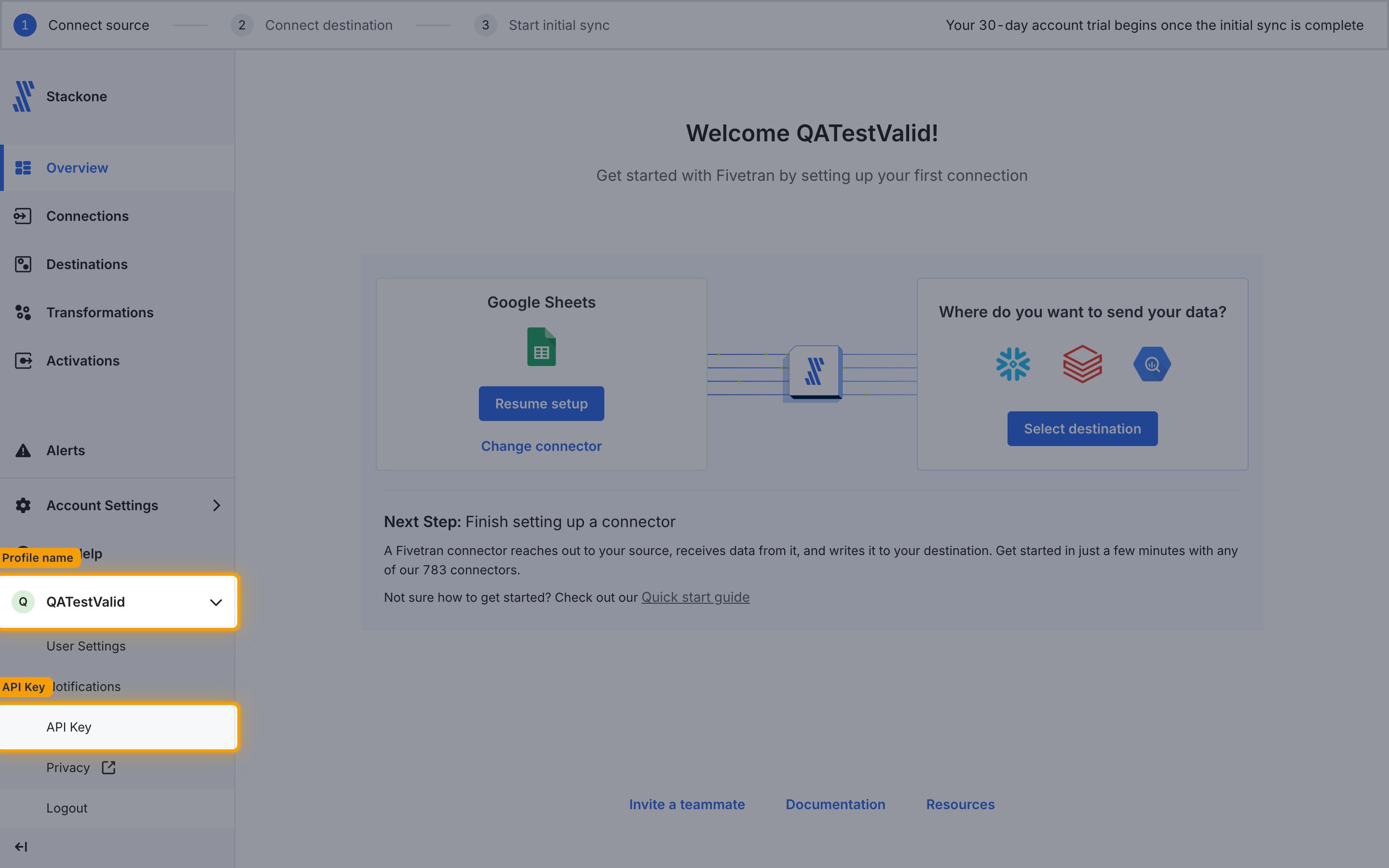
        <p>Click your <strong>Profile name</strong> in the bottom left, then click <strong>API Key</strong>.</p>

        <img src="https://mintcdn.com/stackone-60/WlFiz93cLsvdccQQ/connectors/fivetran/images/custom-config-api-key-menu.png?fit=max&auto=format&n=WlFiz93cLsvdccQQ&q=85&s=338e30bea903ebd2d4fb8737e09862ae" alt="Fivetran dashboard with the profile menu open in the bottom left of the sidebar, showing the API Key entry below User Settings and Notifications." width="2880" height="1800" data-path="connectors/fivetran/images/custom-config-api-key-menu.png" />
      </div>
    </Step>

    <Step title="Generate new API secret">
      <div data-guide-step data-guide-scopes="" data-guide-display-scopes-list="">
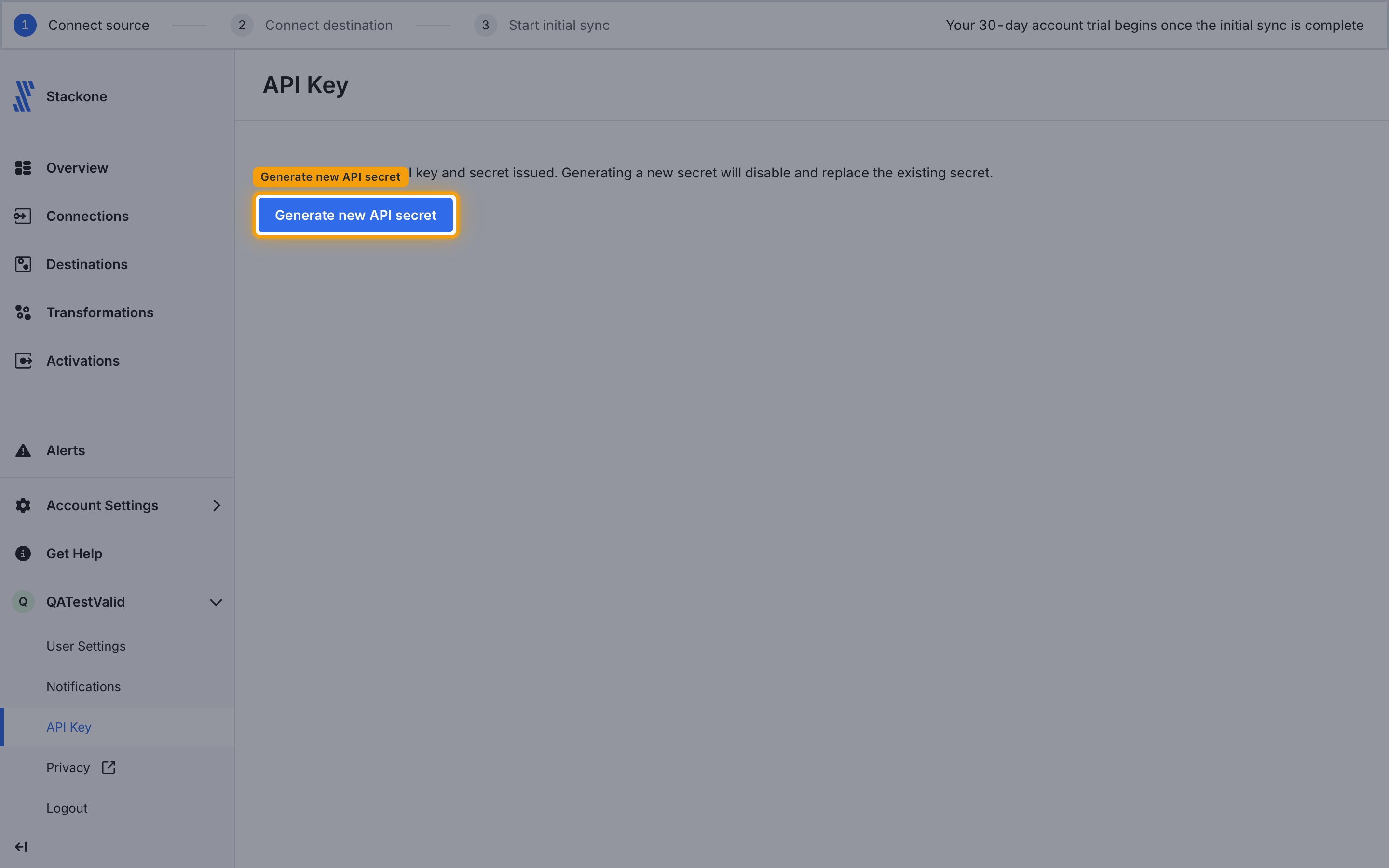
        <p>Under API Key, click the <strong>Generate new API secret</strong> button.</p>

        <img src="https://mintcdn.com/stackone-60/WlFiz93cLsvdccQQ/connectors/fivetran/images/custom-config-generate-new-api-secret.png?fit=max&auto=format&n=WlFiz93cLsvdccQQ&q=85&s=102ba5395a5de3ad22b05772a2ebc651" alt="Fivetran API Key page with the Generate new API secret button below a note that generating a new secret disables and replaces the existing secret." width="2880" height="1800" data-path="connectors/fivetran/images/custom-config-generate-new-api-secret.png" />
      </div>
    </Step>

    <Step title="Confirm the new secret">
      <div data-guide-step data-guide-scopes="" data-guide-display-scopes-list="">
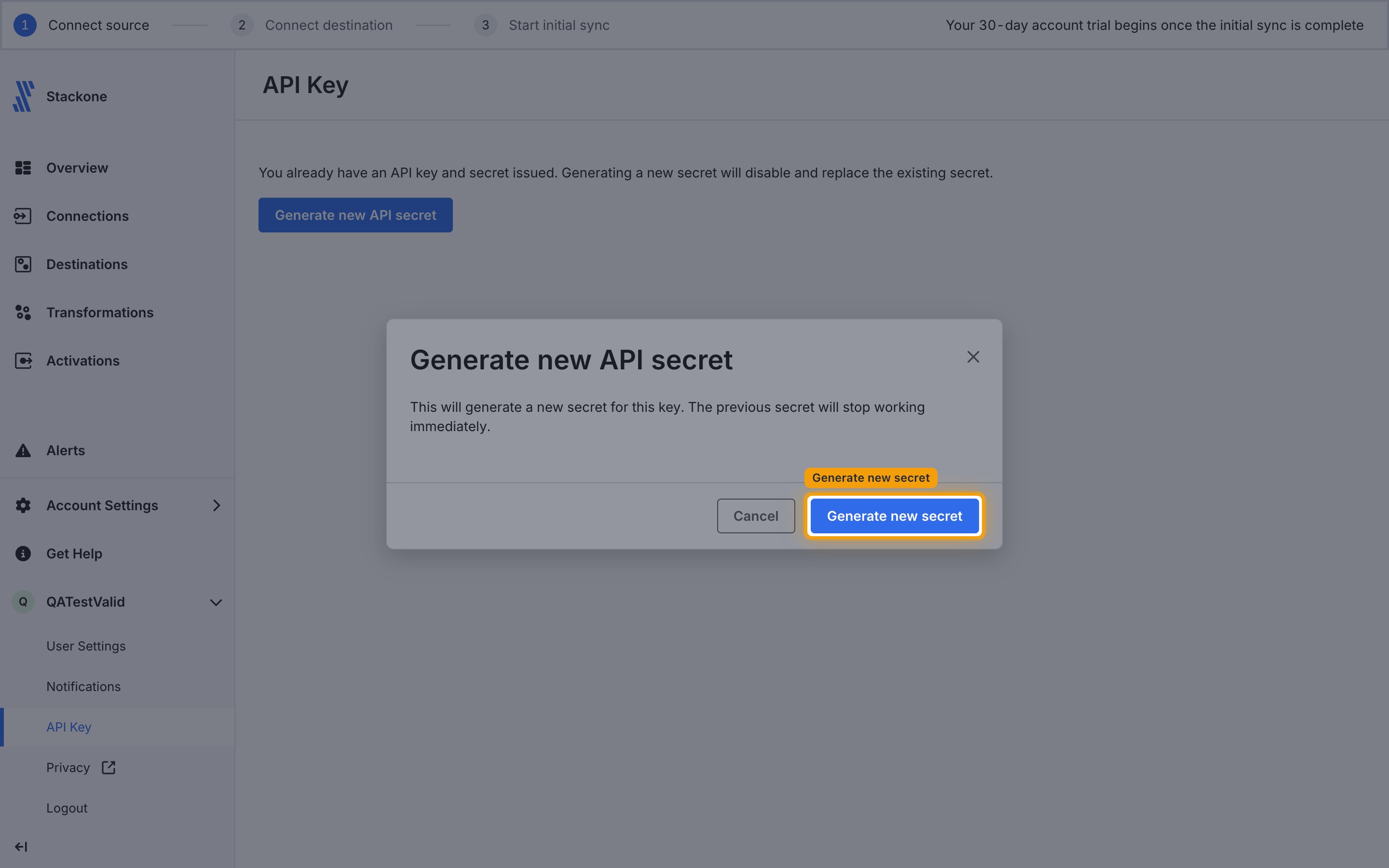
        <p>A confirmation dialog appears, warning that generating a new secret will stop the previous secret from working immediately. Click <strong>Generate new secret</strong> to confirm.</p>

        <img src="https://mintcdn.com/stackone-60/WlFiz93cLsvdccQQ/connectors/fivetran/images/custom-config-confirm-new-secret.png?fit=max&auto=format&n=WlFiz93cLsvdccQQ&q=85&s=cb1214daf2a7e62eb01886070be9db66" alt="Generate new API secret confirmation dialog warning that the previous secret will stop working immediately, with Cancel and Generate new secret buttons." width="2880" height="1800" data-path="connectors/fivetran/images/custom-config-confirm-new-secret.png" />
      </div>
    </Step>

    <Step title="Copy API Key and Secret">
      <div data-guide-step data-guide-scopes="" data-guide-display-scopes-list="">
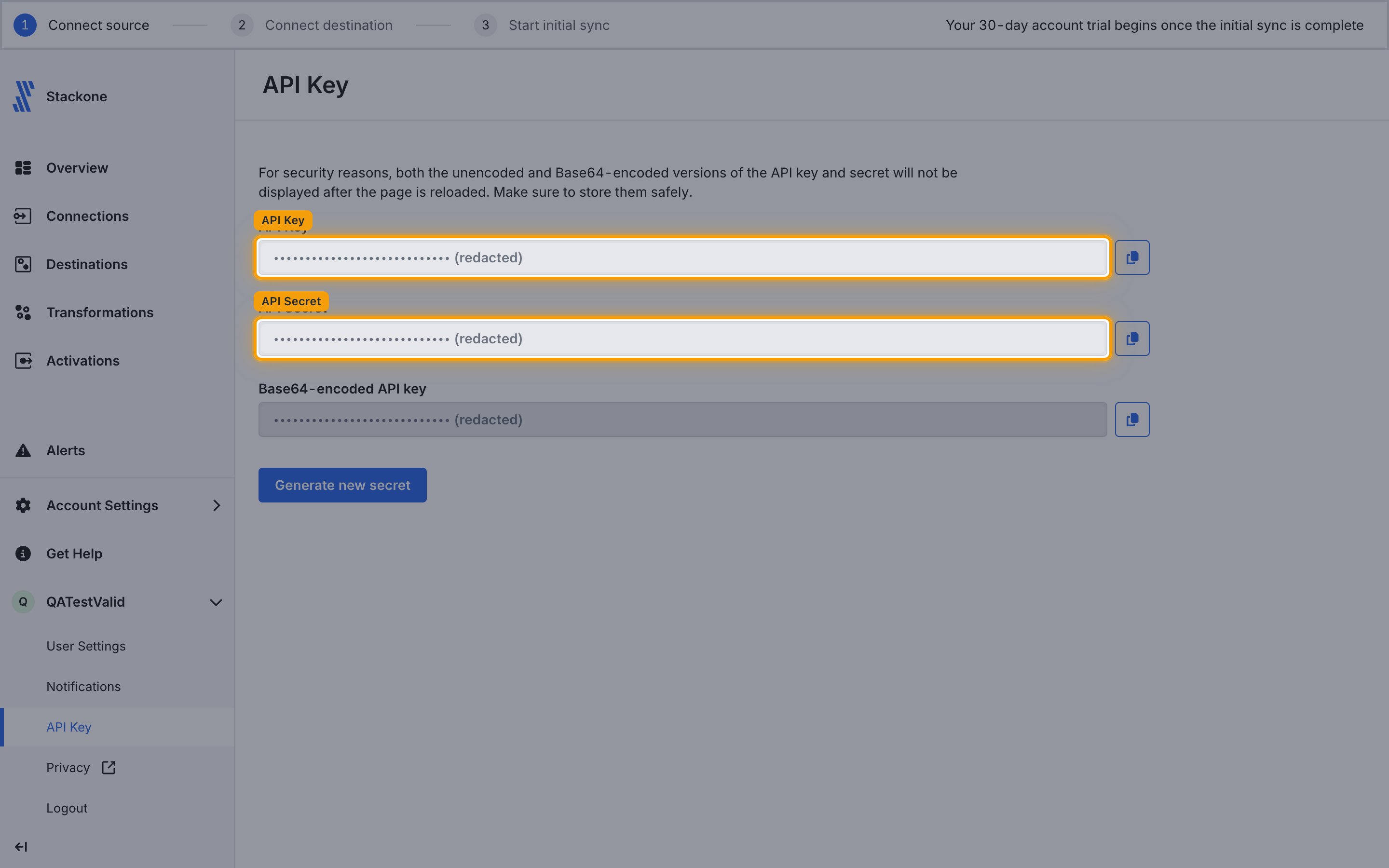
        <p>Copy your displayed <strong>API Key</strong> and <strong>API Secret</strong> and store them securely for use later.</p>

        <ul>
          <li>Your <strong>API Key</strong> is a 16-character hex string (e.g., `d9c4511349dd4b86`)</li>
          <li>Your <strong>API Secret</strong> is a 32-character hex string (e.g., `1f6f2d161365888a1943160ccdb8d968`)</li>
          <li>⚠️ The API secret is shown only once — it disappears when you close the page or navigate away</li>
        </ul>

        <img src="https://mintcdn.com/stackone-60/WlFiz93cLsvdccQQ/connectors/fivetran/images/custom-config-copy-credentials.png?fit=max&auto=format&n=WlFiz93cLsvdccQQ&q=85&s=8077ce45fcdfe52662256773cb4d10d9" alt="Fivetran API Key page showing the generated API Key, API Secret and Base64-encoded API key fields (all redacted), each with a copy button alongside." width="2880" height="1800" data-path="connectors/fivetran/images/custom-config-copy-credentials.png" />
      </div>
    </Step>
  </Steps>
</section>

<div data-whitelabel-hide>
  <h2>Linking the Account from the Hub</h2>

  <Steps>
    <Step title="Navigate to the Hub">
      Use one of the three <a href="/connect/managing-connectors/linking-accounts">Linking Account Methods</a> to access the Hub.
    </Step>

    <Step title="Fill out the fields">
      Fill out the following fields using details from your provider:

      <ul>
        <li><strong>API Key</strong></li>
        <li><strong>API Secret</strong></li>
      </ul>
    </Step>

    <Step title="Connect">
      <ul>
        <li>Click <strong>Connect</strong></li>
        <li>If applicable, the provider will redirect you to a sign-in or authorization page. Complete the provider's authorization flow.</li>
        <li>Once authorization is successful, you will see a confirmation popup</li>
      </ul>
    </Step>
  </Steps>

  <p>If the account linking is successful, you will see the newly linked account in your <a href="/gateway/concepts/linked-accounts">Accounts</a> page.</p>
</div>

## Next Steps

<Columns cols={2}>
  <Card title="Webhooks setup" href="/connectors/fivetran/guides/webhook-setup">
    <p className="connector-page-auth-description" style={{ fontSize: '14px', marginTop: 0, marginBottom: 0 }}>
      Configure receiving Events for Fivetran into StackOne.
    </p>
  </Card>
</Columns>