

How JIT works
On every SSO sign-in, if the user isn’t a member of your organization yet, StackOne:- Adds them to your organization at the role your identity provider asserts, Viewer by default and Admin on an exact attribute match (see Organization role).
- Grants them the connection’s provisioned access, the projects you selected at the roles you set.
A pending invitation always wins. If the user signing in has one for your organization, JIT steps aside and the invitation’s role is used instead. SCIM Provisioning also takes precedence, so a user your directory already created keeps the membership it gave them.
Organization role from your identity provider
By default, JIT provisions members as organization Viewers, the least-privilege role. To provision someone as an organization Admin, have your identity provider send a fixed attribute on the SSO assertion:
The value is matched case-insensitively and trimmed, but it must be exactly
admin. admin, Admin, and ADMIN all grant admin, while administrator, admin-readonly, an empty value, or a missing attribute all resolve to Viewer. StackOne never grants anything above organization admin from an identity provider attribute, so an unexpected value can only ever leave a member as a viewer.
Send
stackone_role as a SAML attribute statement named exactly stackone_role. Send the value admin only for the people who should administer the organization, and leave the attribute off everyone else so they’re provisioned as viewers.roles value of admin provisions an organization admin, and everything else a viewer.
Prerequisites
- A verified SSO connection for your organization. JIT provisions members as they sign in through it. See SSO overview.
- The Org Admin role to configure the defaults.
JIT is turned on per connection with the Enable JIT action, so nothing to request from support. The projects and roles you set are the connection’s shared provisioned access: SCIM Provisioning applies the same set, so configuring it once covers both.
Set up JIT
1
Set the provisioned access
In the StackOne dashboard, go to Organization > Security > SSO and open your verified SSO connection. Select the Provisioning tab, then, on the Provisioned access card, select Manage access.Pick the projects provisioned members should join and choose a role for each one (Viewer, Member, or Admin), then select Save changes. Pick the least-privilege role that fits each project. This sets project access only; the organization role comes from your identity provider.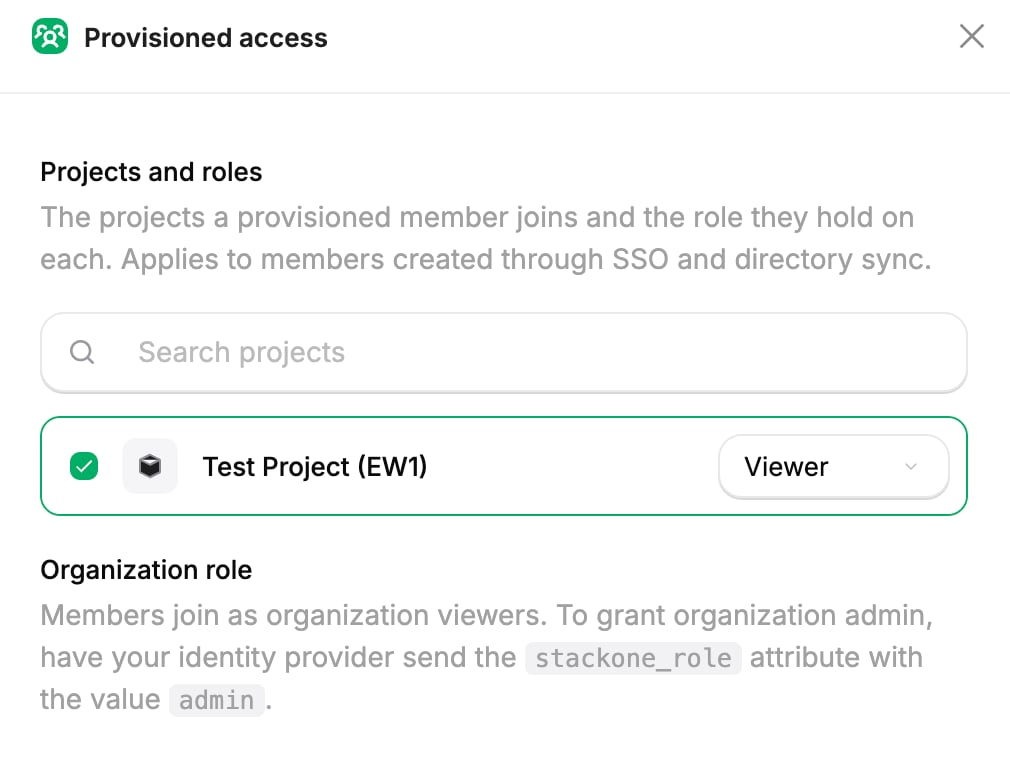
2
Enable JIT
On the Just-in-time provisioning card, select Enable JIT. Provisioning starts on the next sign-in. If you haven’t set any provisioned access yet, enabling JIT walks you through it first. A member is never provisioned into nothing.
3
Send the role attribute from your identity provider
To grant organization admin to specific people, configure your identity provider to send the
stackone_role attribute with the value admin for them, as described in Organization role. Leave it off everyone who should stay a viewer.4
Assign users and have them sign in
Assign the users to the StackOne application in your identity provider. On their next SSO sign-in, StackOne creates their membership at the organization role and provisioned access above.
Next steps
SSO overview
Set up the SSO connection JIT provisions members through.
SCIM Provisioning
Provision members ahead of time from your directory over SCIM.
Groups
Grant many members the same project or account access at once.
Set up SSO with Okta
Connect Okta as your SAML identity provider.