

Data Sync consumes credits from your allowance. See plans and pricing.
How it works
- You turn sync on for an action on a Connector Profile, and set how often it runs.
- StackOne creates one sync per Linked Account on that profile, for accounts already linked and any linked later.
- Each time a sync fires it is a run, which fetches records from the provider and writes them to the index.
Turn on sync for an action
1
Open the Connector Profile
In Connectors, open the connector and select the profile’s card. Data Sync is configured on a saved profile, not while you are creating one, and the action has to be switched on in that profile.
2
Find a syncable action
On the Actions tab, actions that can be synced carry a Data Sync tag and a sync button next to their switch. Actions that need parameters to run, such as fetching one record by ID, can’t be synced.
3
Enable sync and set its cadence
- Click the sync button to open the Data Sync panel.
- Turn on Enable Data Sync.
- Set Sync every and Full re-sync.
- To turn on sync for every action on the profile that supports it, turn on Apply to all Actions.
4
Save
Click Save Changes. The first sync starts immediately for every Linked Account already on the profile.
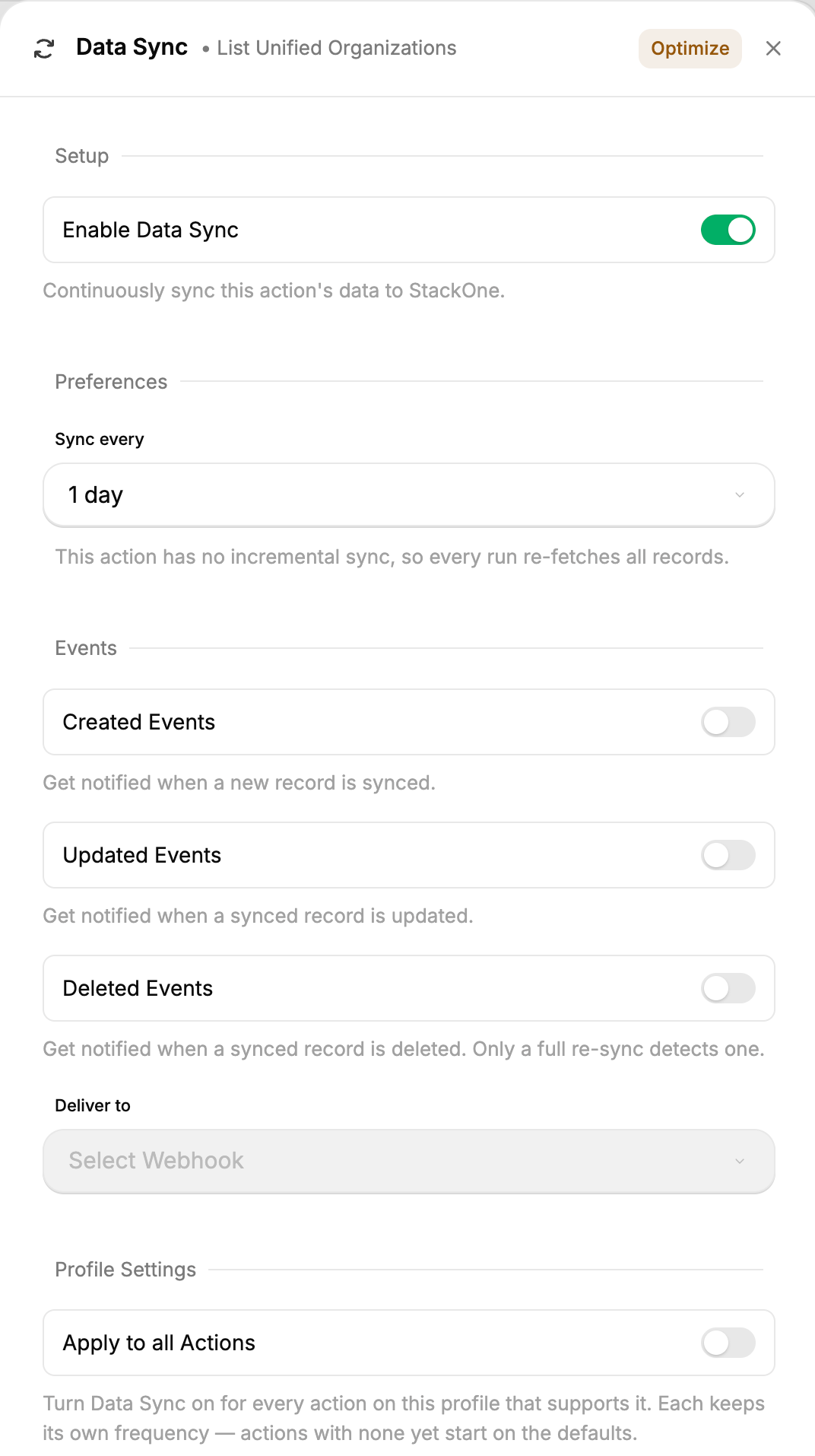
The Data Sync panel for one action
Accounts linked after you save start syncing on their own first run, with no further configuration. You don’t need to revisit the profile as your customers link accounts.
Full and incremental runs
Most runs are incremental, because they’re cheap. Full runs happen on their own interval to catch what an incremental run structurally cannot.Monitor syncs
Go to Accounts, open an account, and choose the Data Sync tab. Each synced action gets its own panel showing its cadence and when it next runs. Expand a sync to see its recent runs: whether each was full or incremental, how long it took, and how many records it created, updated, left unchanged, or deleted. The Enabled toggle is the one setting that’s per-account. Turn it off to stop syncing an action for this account without touching the profile or any other account.
A sync shows Paused when the action, or sync for that action, is switched off on the Connector Profile. Nothing runs until it’s turned back on.
Deeply nested data
Data Sync stores every field a record has, however deeply it’s nested, but Deep Query only indexes fields up to four levels deep. Each object a field sits inside counts as one level and each list of objects as two, soaddress.city is one level deep and employment.history[].role is three.
Fields five or more levels deep, and lists of lists at any depth, are stored with the record without being indexed:
- They come back with the record unless
sourceleaves them out, and a change to one of them counts as a change to the record. - They can’t be used to filter, sort, or aggregate.
- A field five or more levels deep can still be named in
source. The response then includes the whole nested object that holds it.
Data Sync events
A sync can also send an event to a webhook for every record a run creates, updates, or deletes, so you hear about changes without querying for them. See Data Sync Events.Limits
The provider count means providers with at least one sync enabled, not actions. Syncing a second action on a provider you already sync costs nothing against it, and two Connector Profiles on the same provider count once.
A connector can lower the per-run page and duration ceilings for an action that needs it, but never raise them.
The page cap is usually hit first. In most cases, a run reaches 2,000 pages before it reaches 6 hours, so the duration ceiling is a backstop rather than the limit a run normally stops on.
Turning on sync for an action fails if it would take the organization past 100 providers. The record and storage limits are checked as runs go, and a run that hits one stops early.
Two more constraints are worth planning around rather than reading as numbers:
- Not every action can be synced. Actions that need parameters to run, such as fetching one record by ID, have no sync. See Turn on sync for an action.
- Deletions wait for a full run. Set Full re-sync to match how quickly you need them reflected.
Runs that stop early
A run stops early when it reaches the page cap, when the provider returns the same page twice, or when the organization reaches its record or storage limit. What happens next depends on the run:- A full run is held. Its records are discarded, the last complete sync stays readable, and no deletions are recorded. The next full run is attempted on the Full re-sync cadence. The run shows
truncatedorquota_exceeded. - An incremental run keeps what it wrote, but its checkpoint doesn’t move, so the next run covers the same window again.
Next steps
Deep Query
Search, filter, and aggregate the records a sync has stored.
Connector Profiles
Where sync is configured, alongside actions and events.
Data Sync Events
Send an event to a webhook for every record a run creates, updates, or deletes.