

Sign in to Vimeo Developer Portal
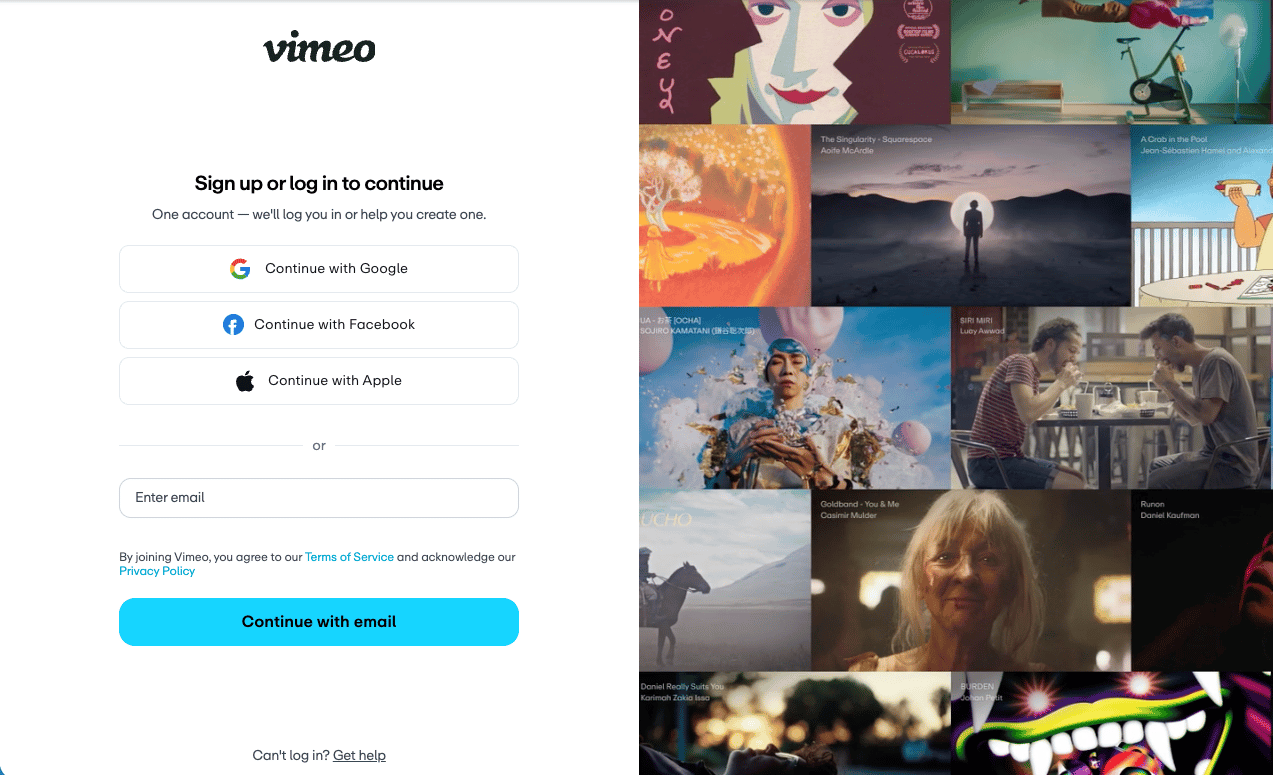
To use the Vimeo API with a Personal Access Token, you need a Vimeo account. If you do not have one, sign up at Vimeo.
Register a Vimeo App
Personal access tokens provide a simple way to authenticate without the full OAuth flow. You still need to create a Vimeo app to generate a token.
Access Vimeo Developer Portal
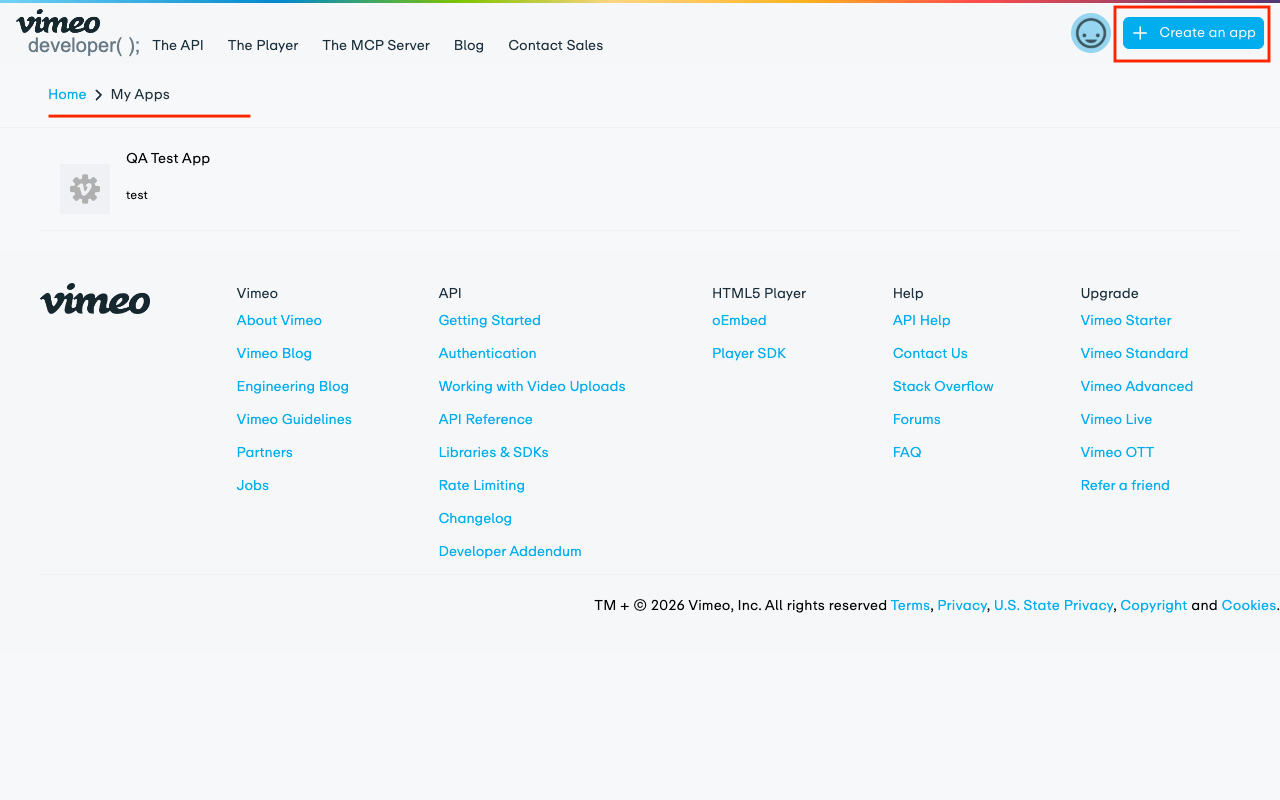
Go to the Vimeo Developer Portal and sign in with your Vimeo account.
Create a New App
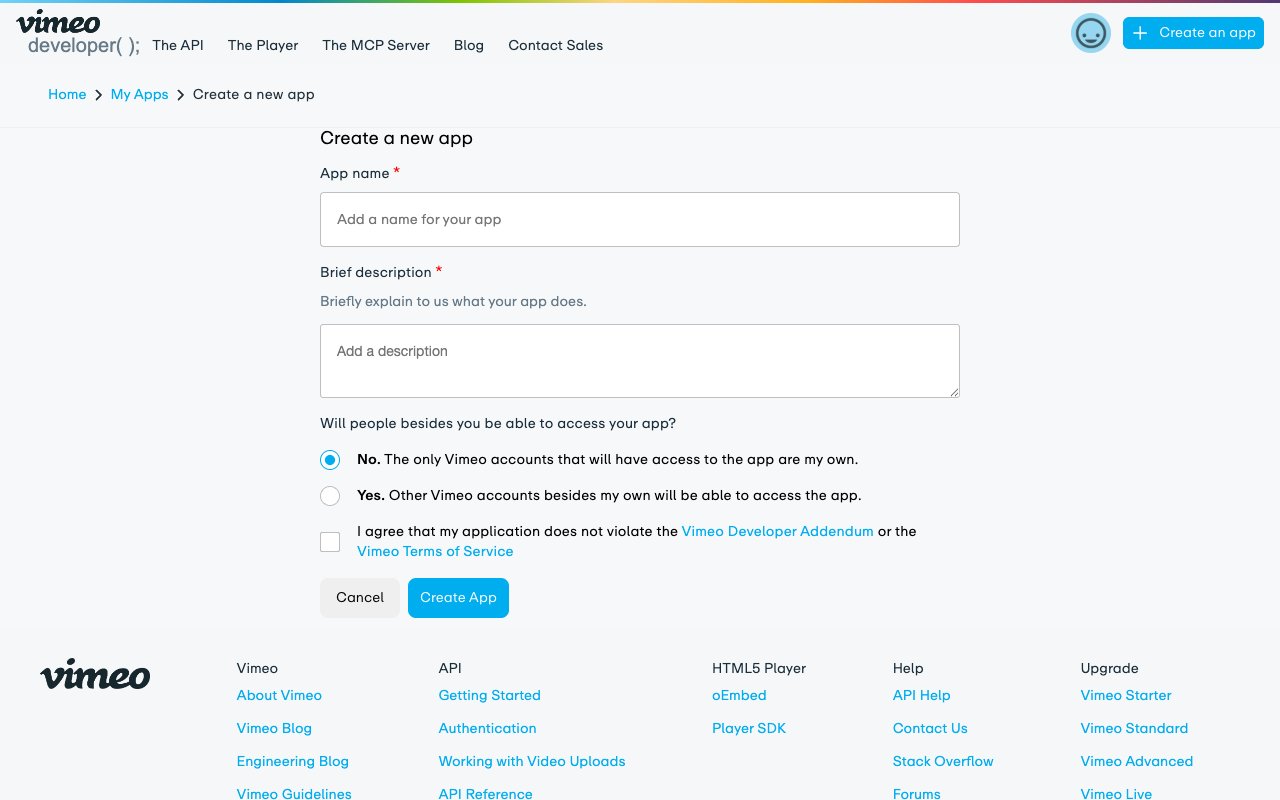
Click the + Create an app link in the centre of the page or the top-right corner and fill in the required details.
- App name: Choose a unique name for your app. For example:
StackOne Integration. - App description: Provide a brief description of your app’s functionality.
- Will people besides you be able to access your app?: Select No for personal access token usage.
- Tick the checkbox to agree to the Vimeo API Terms of Service.
- Click Create App to proceed.
Configure Scopes and Generate Token
After creating the app, you will be redirected to the app settings page. If not, click on your app name from the My Apps list to open its settings.
Select Scopes and Generate Token
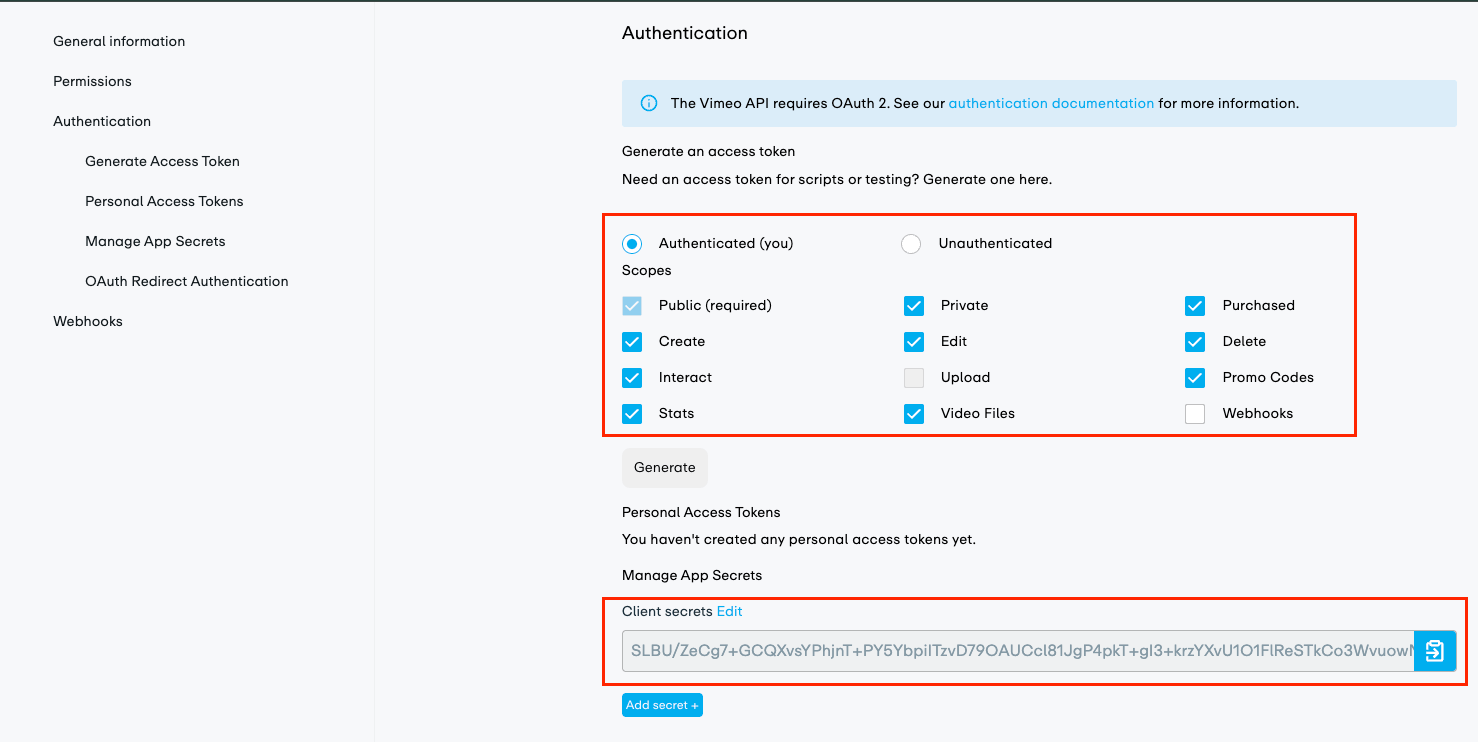
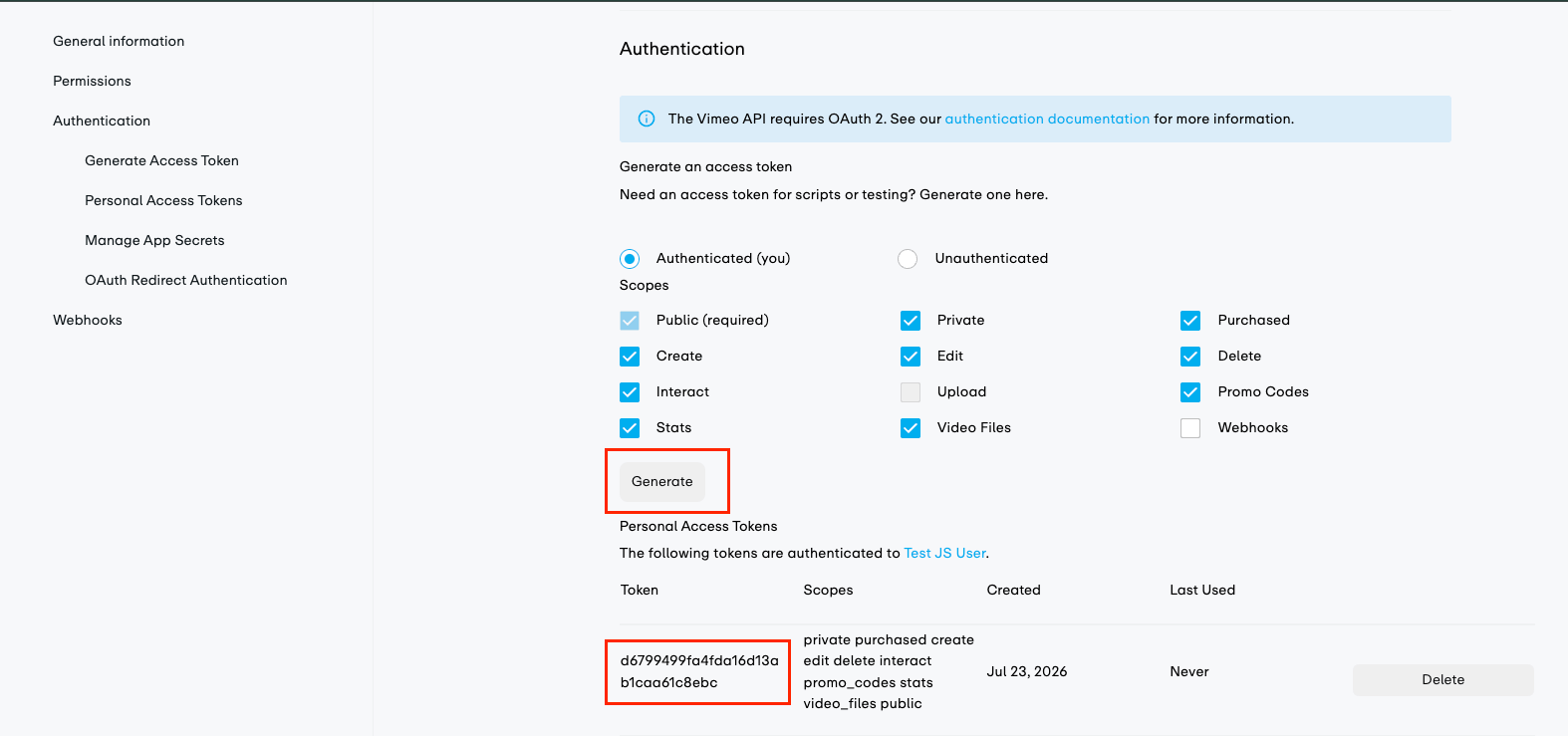
In the Authentication section of your app settings, select the Authenticated (you) radio button. Then select the necessary scopes from the list — the public scope is required.
- NOTE: The
uploadscope is not available in a sandbox environment, so it is excluded from the default scopes list. You can still add it manually if needed.
Generate Personal Access Token
Click the Generate button (just below the scopes list) to create your personal access token.
- Copy the generated token immediately — it will not be shown again. Use it as the Personal Access Token credential in StackOne.
Linking the Account from the Hub
Navigate to the Hub
Fill out the fields
- Personal Access Token
Connect
- Click Connect
- If applicable, the provider will redirect you to a sign-in or authorization page. Complete the provider’s authorization flow.
- Once authorization is successful, you will see a confirmation popup
If the account linking is successful, you will see the newly linked account in your Accounts page.